

Last Updated on March 27, 2020
This is a fairly eclectic selection of interesting books about free and/or open source software. It does not seek to identify the finest books in each area explored. Instead it is a personal roundup of books that piqued my interest. They each provide very useful or interesting information.
Only one of the books is released under a license that meets the definition of free as defined by the free software movement. Three of the books request donations, but they can all be read without paying a monetary amount.
1. Free as in Freedom – Richard Stallman’s Crusade for Free Software
By Sam Williams (HTML; 240 pages)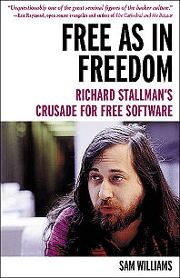
I avoided reading this book for many years. Not because I do not believe in free software. For many years I perceived Richard Stallman as a divisive character, alienating many people who held good and honorable intentions. In part my view was formed from commentators frequently treating him as a fanatic, on a moral crusade, lacking pragmatism. But Richard Stallman is still the father-figure of the free software movement. He has been the GNU project’s lead architect and organizer, and developed GNU software including, among others, the GNU Compiler Collection, the GNU Debugger and the GNU Emacs text editor. Without Stallman’s huge contribution, Linux would be significantly weaker. This book is a good read to learn more about Stallman, his passion, his battles, and achievements.
Chapters cover:
- For Want of a Printer
- 2001: A Hacker’s Odyssey
- A Portrait of the Hacker as a Young Man
- Impeach God
- Small Puddle of Freedom
- The Emacs Commune
- A Stark Moral Choice
- St. Ignucius
- The GNU General Public License
- GNU/Linux
- Open Source
- A Brief Journey Through Hacker Hell
- Continuing the Fight
- Epilogue: Crushing Loneliness
The free software movement has different views to “open source” software. A program is free software if it meets the following freedoms:
- Run the program as you wish, for any purpose
- Study how the program works, and change it so it does your computing as you wish. Access to the source code is a precondition for this
- Redistribute copies so you can help your neighbor
- Distribute copies of your modified versions to others. By doing this you can give the whole community a chance to benefit from your changes. Access to the source code is a precondition for this
“Free” doesn’t just apply to software; this book is also “free”, as it is released under the GNU Free Documentation License (GFDL). The author conducted interviews with Richard Stallman during the writing of the book, as well as with classmates, colleagues of Stallman, and his mother. After reading the first release of the book, Stallman revised and annotated the original text. The license allowed him (and anyone else) to do this.
2. Innovation Happens Elsewhere
By Ron Goldman & Richard P. Gabriel (HTML; 424 pages)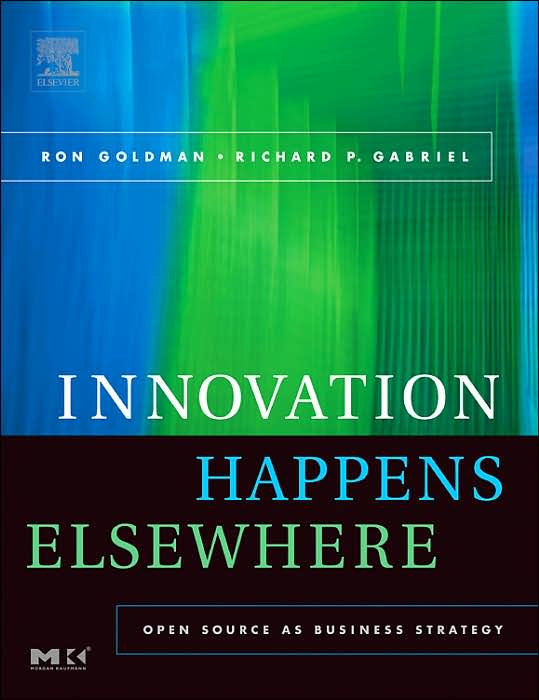
Innovation Happens Elsewhere is intended for anyone considering using open source. It describes what open source is, discusses business reasons for using open source, and describes how an open source project works in a day-to-day manner. It helps the reader decide on whether open source is right for a project, and, if so, what steps should be taken to proceed and some mistakes the reader should avoid.
The book focuses on:
- Innovation Happens Elsewhere
- What is Open Source – looks at the definitions of open sources, its philosophical tenets, methodologies, myths – misconceptions – questions, the community, why open source works, and variations on open source
- Why Consider Open Source? – examines business reasons for choosing to open source code and for using open source products, creating a business model, measuring success, with an example
- Licenses – examines what a license does and does not, dual licensing and more
- How To Do Open-Source Development – looks at the major activities needed to do an open-source project and also discuss the process of creating a new release. The chapter proceeds to discuss participating in an existing open-source project and using an open-source-like process, corporate source, within your company
- How to Build Momentum – focuses on what not to do based on lessons learned from the failures and mistakes we’ve observed in various open-source projects
- What To Avoid – Known Problems and Failures – looks at some problems that can cause open-source projects to stumble
This book is released under the Creative Commons Attribution-NonCommercial-ShareAlike 2.0 Generic (CC BY-NC-SA 2.0) license. It is a license that permits modification but not commercial use. Stallman considers this type of license should be avoided.
This book is a good read. Other books in the same field which are recommended reading are Two Bits and Producing Open Source Software.
3. The System Administrators Guide to Virtual Disk Operations
By Tim Bielawa (PDF, HTML; 79 pages)
The Linux Sysadmin’s Guide to Virtual Disks is a concise book which demonstrates the core concepts of virtual disk management. This book concerns itself primarily with the qemu-img tool and common GNU/Linux disk utility tools like fdisk, parted, and resize2fs. The motive for writing the book was due to the author’s view that information about the functionality in virtual disk operation has received unsatisfactory coverage.
It offers sections on:
- The Virtual Disk Cookbook – create simple images, resize RAW and QCOW2 images, query an image for information, convert between RAW and QCOW2 and vice versa, create disks with backing images, commit changes to a backing image, and shows you how to clone a physical disk. Real-world problems are examined
- Disk Concepts – shows the reader how to create a virtual disk using the dd command, and covers devices and partitions. Commands such as fdisk, losetup are explored
- Helper Utilities – libguestfs, guestmount, virt-filesystems, virt-rescue, virt-resize, virt-sparsify, and virt manager are introduced, highlighting some key features in each, show demos, and tells the reader where they can find more information
- Disk Formats – Reviews some of the formats available for virtual disks (including RAW, QCOW, QCOW2), features of each formats, performance options and use case considerations
- Performance Considerations – covers selecting the right disk caching mode, virtual device, I/O scheduler and balancing resources with cgroups
- Troubleshooting/FAQs
The Linux Sysadmin’s Guide to Virtual Disks and all the material to build it is licensed under the Creative Commons Attribution-ShareAlike 4.0 International License (CC BY-SA 4.0).
4. Just Enough Linux
By Malcolm Maclean (PDF, EPUB, MOBI, HTML; 261 pages)
Just Enough Linux is a gentle but comprehensive introductory text to the world of Linux. It seeks to explain Linux commands and the philosophy behind them.
Although the examples in this book centre around using Linux with a Raspberry Pi, the commands you learn here translate to an industrial server running Linux.
The book explains:
- Linux Concepts: Shows the reader how to execute commands, explores commands, wildcards, regular expressions, pipes. It moves on to cover the Linux directory structure, absolute and relative path name addressing, files, inodes, links, file editing, and scripting
- Linux Commands – explains the myriad of command line tools covering file administration, accessing file contents, file systems, system information, processes, network, and others
- Cheat Sheets – commands, directory structure, regular expressions, ‘find’
The book can be read online without charge, but the reader can pay on a voluntary basis; the suggested price is $2.00. This work is licensed under a Creative Commons Attribution-NonCommercial-ShareAlike 3.0 Unported License.
Excellent alternatives to this book are “Introduction to Linux – A Hands on Guide” by Machtelt Garrels, and The Linux Command Line by William D. Shotts, Jr
5. Just Enough Raspberry Pi
By Malcolm Maclean (PDF, EPUB, MOBI, HTML)
The Raspberry Pi is a low cost, credit-card sized computer that you can use to explore computing, and learn programming through fun, practical projects. Languages such as Scratch and Python are popular. It can also be used as a desktop computer.
Just Enough Raspberry Pi aims at providing a low stress method of experimenting with super cool computer hardware in the form of the Raspberry Pi. It looks at the different versions, peripherals and operating systems. The author also examines some ‘power-ups’ to get more from the Pi and covers some basic Linux use.
Topics covered include:
- Raspberry Pi Versions – Raspberry Pi Zero, Pi A+, Pi B, Pi B+, 2B and 3B models
- Raspberry Pi Peripherals – SD Card, Keyboard / Mouse, Video, Network, Power suply and Cases
- Operating Systems – sourcing and setting up, Raspbian, OpenELEC, Ubuntu
- Power Up the Pi – Static IP Address, Remote access, Setting up a WiFi Network Connection, External USB Storage
- Linux Commands – such as apt-get, chmod, chown, fdisk, ls, mkdir, ifconfig and sudo
The book can be read online without charge, but the reader can pay on a voluntary basis; the suggested price is $1.67. This work is licensed under a Creative Commons Attribution-NonCommercial-ShareAlike 3.0 Unported License.
 Explore our comprehensive directory of recommended free and open source software. Our carefully curated collection spans every major software category. Explore our comprehensive directory of recommended free and open source software. Our carefully curated collection spans every major software category.This directory is part of our ongoing series of informative articles for Linux enthusiasts. It features hundreds of detailed reviews, along with open source alternatives to proprietary solutions from major corporations such as Google, Microsoft, Apple, Adobe, IBM, Cisco, Oracle, and Autodesk. You’ll also find interesting projects to try, hardware coverage, free programming books and tutorials, and much more. Know a useful open source Linux program that we haven’t covered yet? Let us know by completing this form. |