
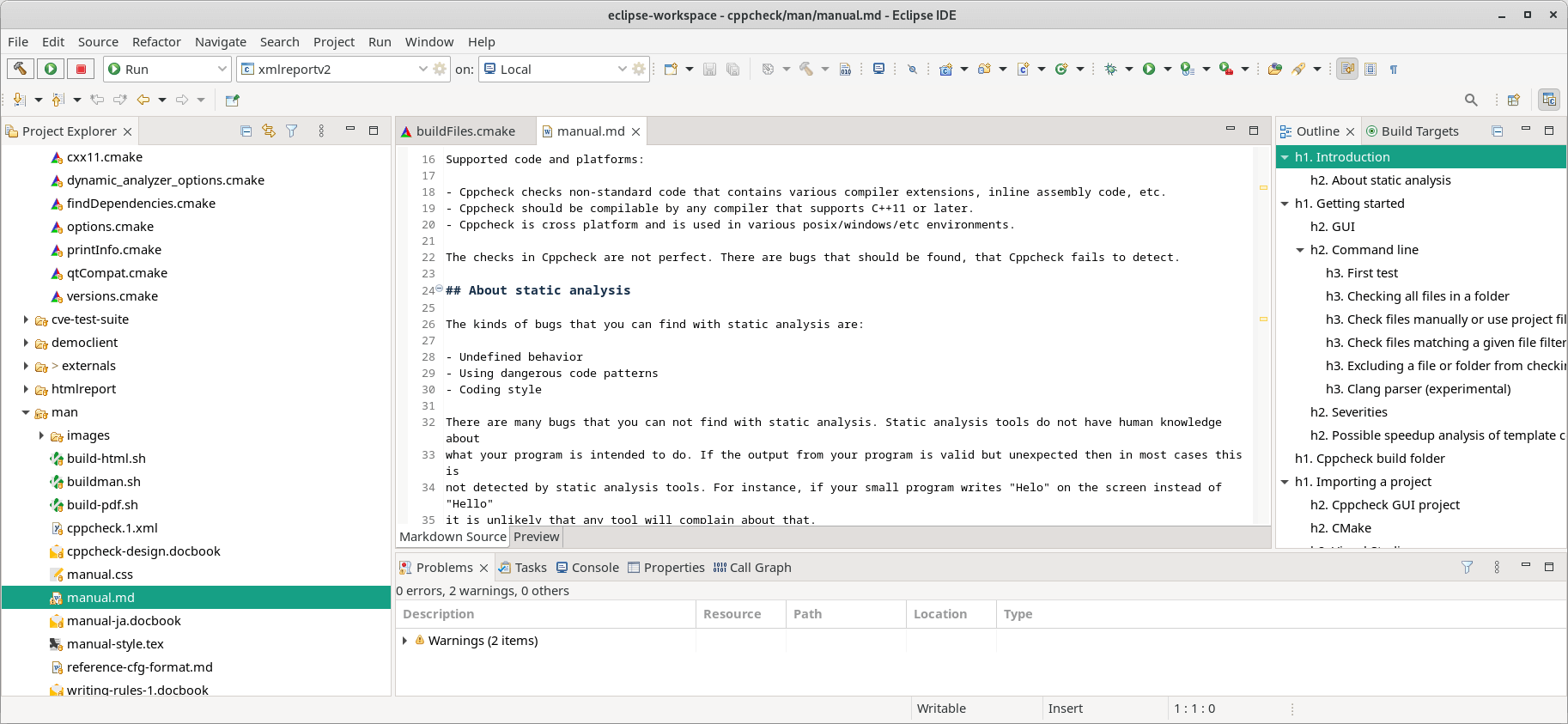
Eclipse is an integrated development environment (IDE) used in computer programming.
It contains a base workspace and an extensible plug-in system for customizing the environment.
Eclipse is written mostly in Java and its primary use is for developing Java applications, but it can also be used to develop applications in other programming languages via plug-ins, including Ada, ABAP, C, C++, C#, Clojure, COBOL, D, Erlang, Fortran, Groovy, Haskell, JavaScript, Julia, Lasso, Lua, NATURAL, Perl, PHP, Prolog, Python, R, Ruby (including Ruby on Rails framework), Rust, Scala, and Scheme.
Eclipse can also be used to develop documents with LaTeX (via a TeXlipse plug-in) and packages for the software Mathematica.
Development environments include the Eclipse Java development tools (JDT) for Java and Scala, Eclipse CDT for C/C++, and Eclipse PDT for PHP, among others.
Key Features
- Rich client platform (RCP) for developing general-purpose applications.
- Collection of tools can be easily installed into your Eclipse desktop IDE, including GUI builders and tools for modeling, charting and reporting, testing, and more.
- Plug-ins to provide all the functionality within and on top of the run-time system.
- Team support with Git.
- Internationalization support
Website: github.com/eclipse-platform/eclipse.platform
Support:
Developer: The Eclipse Foundation
License: Eclipse Public License 2.0
Eclipse is written in Java. Learn Java with our recommended free books and free tutorials.
Related Software
| Integrated Development Environments | |
|---|---|
| RStudio | Enterprise-ready professional software for R |
| PyCharm | Integrated Development Environment for Python |
| Neovim | Continuation and extension of Vim |
| Lapce | Fast and powerful code editor written in Rust |
| NetBeans IDE | Java based IDE from Apache |
| VSCodium | Binary distribution of VS Code |
| Eclipse | Java based environment combining a number of different Eclipse projects |
| Qt Creator | Cross-platform, complete Integrated Development Environment |
| Spyder | The Scientific Python Development Environment |
| KDevelop | An easy to use IDE for KDE |
| Helix | Post-modern modal text editor |
| Theia | Cloud & desktop IDE framework |
| eric | Full featured Python editor and IDE |
| Thonny | Python Integrated Development Environment for Beginners |
| Lazarus | Delphi compatible cross-platform IDE |
| PyDev | Python Integrated Development Environment for Eclipse |
| Gambas | Development environment and a full powerful development platform |
| Che | Kubernetes based Cloud Development Environments for Enterprise Teams |
| Leo | Python based IDE, Outliner and PIM |
| IntelliJ IDEA | IDE for Java, Groovy, and other languages |
| LiteIDE | Edit and build Go projects |
| Arduino IDE | Electronics prototyping platform |
| ZeroBrane Studio | Lightweight Lua-based IDE for Lua |
| CodeLite | Powerful and lightweight C/C++ IDE |
| Pyzo | Cross-Platform Python IDE focused on interactivity and introspection |
| DrRacket | IDE for the Racket programming languages |
| Builder | IDE for GNOME |
| Geany | Small and lightweight IDE based on Scintilla |
| Code::Blocks | Very extensible and fully configurable |
| Ecere SDK | Software development kit |
| Zasper | IDE for Data Science |
| U++ | Rapid application development framework |
| roobuilder | Vala and JavaScript IDE |
Read our verdict in the software roundup.
 Explore our carefully curated directory of recommended free and open source software, covering every major software category. Explore our carefully curated directory of recommended free and open source software, covering every major software category.The directory forms part of our extensive collection of articles for Linux enthusiasts. It includes hundreds of detailed reviews, together with free and open source alternatives to proprietary software from companies such as Google, Microsoft, Apple, Adobe, IBM, Cisco, Oracle, and Autodesk. LinuxLinks also covers interesting projects worth exploring, Linux-compatible hardware, free programming books and tutorials, and much more. Know a useful free and open source Linux application that we haven’t covered? Tell us about it using our submission form. |
Please read our Comment Policy before commenting.