

Linux has a good range of weather based apps, both GUI and terminal-based. But sometimes all that’s really needed is a good shell extension.
We used OpenWeather for years. It was a useful weather extension that displayed weather information for almost anywhere in the world. With the extension installed, we had an always-visible display of the current weather status and temperature in our panel.
Sadly the developer of OpenWeather had to abandon his project. Had this been proprietary software, the development work would have been lost. Fortunately, the project was published under an open source license which means anyone else could carry on development. This is particularly important with extensions, as they need maintenance to ensure they are compatible with the current GNOME version.
OpenWeather Refined is a GNOME shell extension which displays weather information for any location. It’s a fork of OpenWeather with a different name to avoid any confusion with the original project.
Installation
We evaluated OpenWeather Refined using Manjaro, an Arch-based distro, as well as the ubiquitous Ubuntu 24.10 distro.
There is a package in the Arch User Repository (AUR) for Arch and Arch-based distros, such as Manjaro. Here’s Pamac (Manjaro’s package manager).
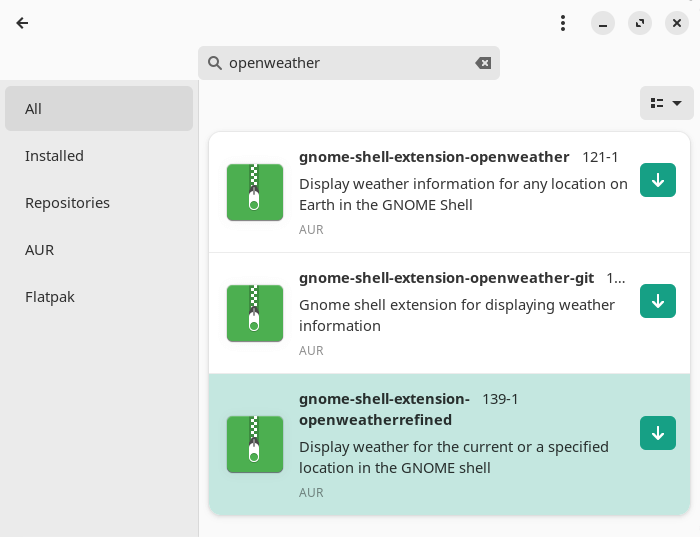
But GNOME extensions are best installed from the gnome-shell extensions website, rather than using a package manager, or with Extension Manager, a native tool for browsing, installing, and managing GNOME Shell Extensions. We installed the extension from the website.
There are a few post-installation steps. To use the OpenWeather API weather provider, we added a Personal API key bd5e378503939ddaee76f12ad7a97608 in the Settings section of the extension.
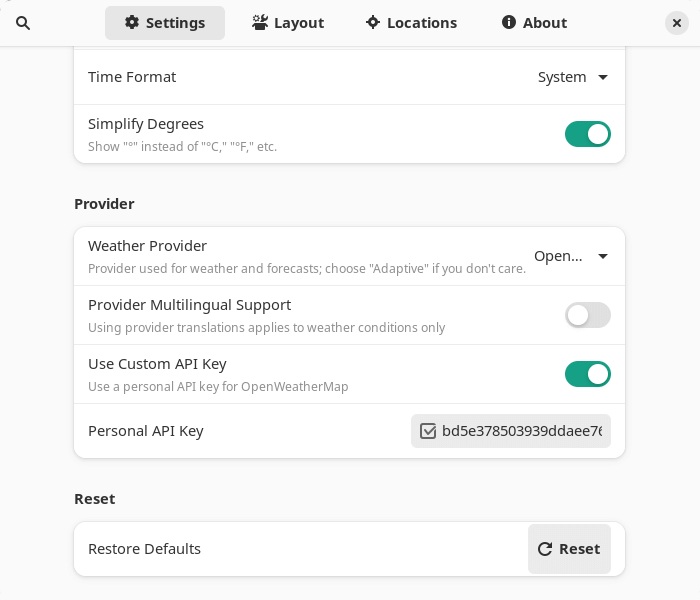
The extension also wasn’t aware of our location. We can set our location from the Locations tab.
In Operation
Weather information resides in your GNOME panel. Here’s example output. We’ve enabled the temperature in panel, conditions in panel, as well as the time of sunset, but any of these can be disabled.

Clicking the weather information presents a detailed panel. OK, we didn’t need a weather extension to know it’s literally freezing today, but the extension provides a lot of useful information.
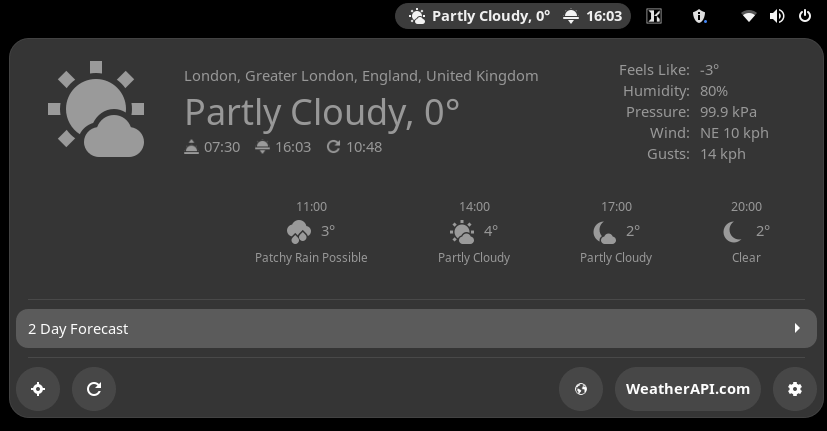
We can also access a weather forecast.
The extension has lots of configuration options including the ability to:
- Set the current weather refresh (in minutes).
- Set the weather forecast refresh (in minutes)
- Set your location refresh interval (in minutes).
- Option to disable the forecast.
- Configurable first boot delay and data fetching.
- Set the units for temperature, wind speed, pressure, time format, and the option of simplifying degrees.
- Set the position in the panel, with an optional position offset.
- Option to display the temperature, conditions, and sunrise/sunset in the panel.
- Popup can have wind direction arrows, translate conditions, decimal places for temperature, pressure, and speed.
- Set multiple locations.
Summary
OpenWeather Refined is a superb GNOME Shell extension courtesy of its range of weather providers (OpenWeatherMap, WeatherAPI.com, and Visual Crossing), and its great range of options that are available.
It’s good to see OpenWeather Refined’s About box acknowledges that this is a fork of Jason Oickle’s extension. It’s always good practice to acknowledge the original developer of a project.
Website: github.com/romanlefler/gnome-openweather
Support:
Developer: Teal Penguin, original development by Jason Oickle
License: GNU General Public License v3.0
OpenWeather Refined is written in JavaScript. Learn JavaScript with our recommended free books and free tutorials.
Related Software
| GUI Weather Software | |
|---|---|
| WeeWX | Interacts with weather stations to produce graphs/reports |
| Mousam | Weather at a glance |
| GTK Meteo | Weather forecast application |
| meteo-qt | System tray application for weather status information |
| Typhoon | Provides real-time weather updates and forecasts |
| Weather | Monitor the current weather conditions |
| Halo | Weather software written in Python |
| wmweather+ | National Weather Service METAR bulletins, ANV and MRF forecasts |
| Kweather | Convergent weather application for Plasma |
| Forecast | View weather predictions |
| Nimbus | Minimal weather applet |
| InfoDash | Displays RSS feeds, weather and stock information |
Read our verdict in the software roundup.
 Explore our comprehensive directory of recommended free and open source software. Our carefully curated collection spans every major software category. Explore our comprehensive directory of recommended free and open source software. Our carefully curated collection spans every major software category.This directory is part of our ongoing series of informative articles for Linux enthusiasts. It features hundreds of detailed reviews, along with open source alternatives to proprietary solutions from major corporations such as Google, Microsoft, Apple, Adobe, IBM, Cisco, Oracle, and Autodesk. You’ll also find interesting projects to try, hardware coverage, free programming books and tutorials, and much more. Discovered a useful open source Linux program that we haven’t covered yet? Let us know by completing this form. |
And who is the current developer?
That’s already stated.See the Developer line.
Teal Penguin?
That’s what the About box says and the GitHub repository.