
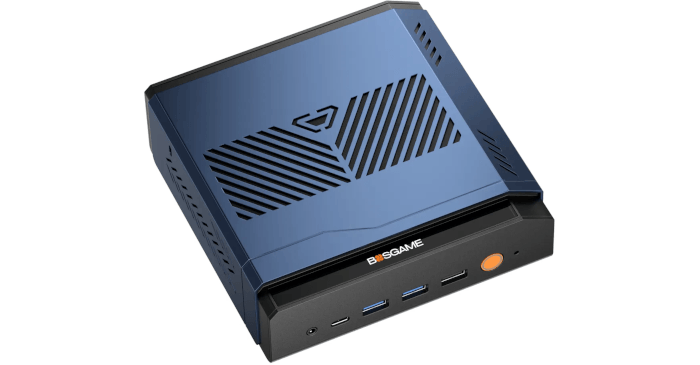
This is a new series looking at the BOSGAME VTA-439 Ryzen AI 9 HX 470 mini PC running Linux. In this series, I’ll put the BOSGAME mini PC through its paces from a Linux perspective, comparing it with other systems, including desktops, to see how it performs in real-world Linux use.
The BOSGAME VTA-439 is a recent addition to BOSGAME’s growing range of AI-focused mini PCs. It’s built around AMD’s Ryzen AI 9 HX 470 processor, a 12-core, 24-thread chip with integrated Radeon 890M graphics and a CPU Mark of 37,457. The review unit comes with 32GB of DDR5 5600MT/s RAM and a 1TB PCIe 4.0 SSD, giving the system a strong hardware base for everyday desktop use, heavy multitasking, and more demanding Linux workloads.
The machine currently retails for around £785, which is competitive given how much RAM and SSD prices have risen.
What’s in the Box
- Mini PC.
- Power adapter with a UK plug. You can specify the appropriate plug for your region.
- HDMI cable.
- Instruction manual.
Design
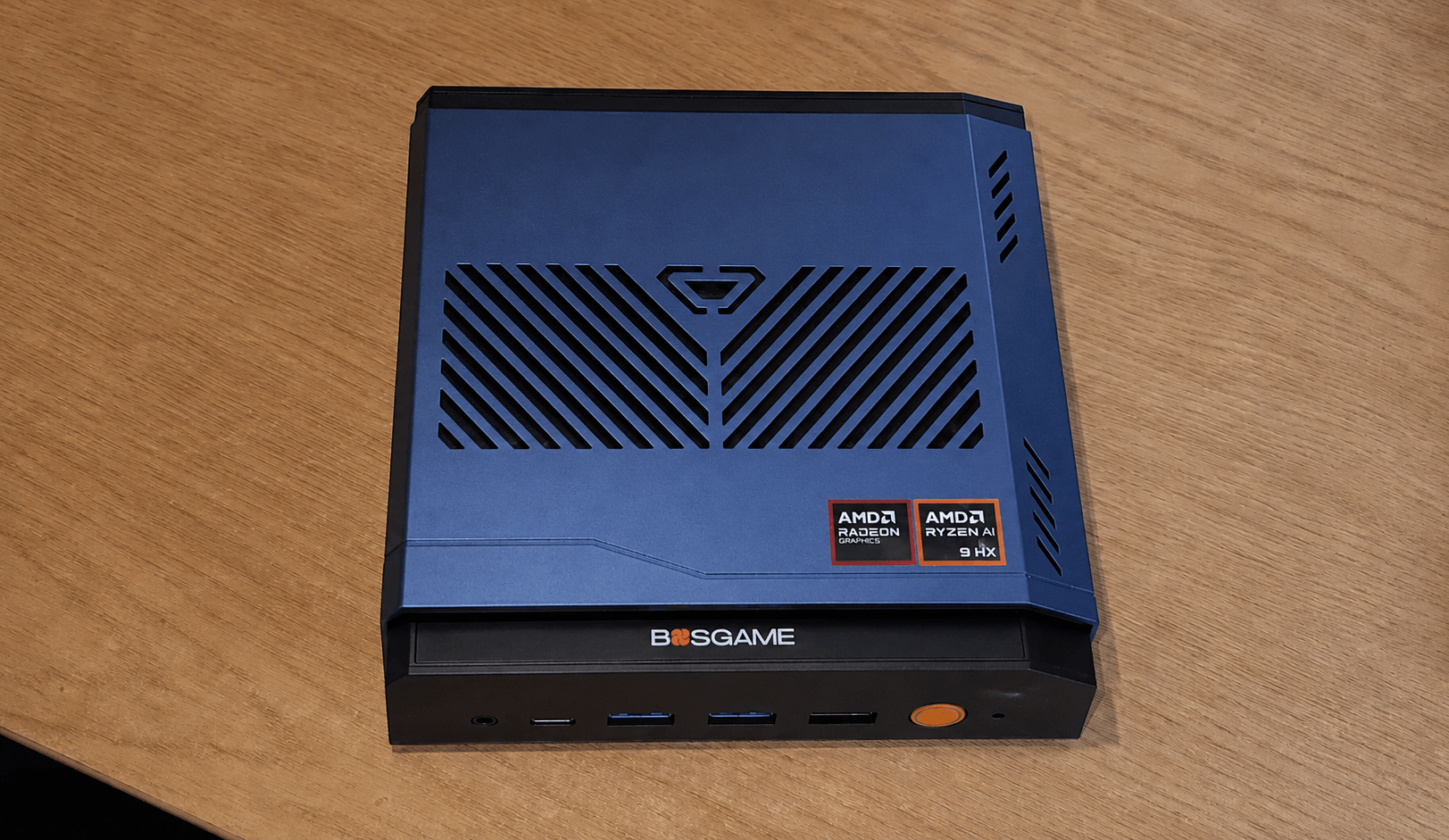
The BOSGAME VTA-439 uses the same distinctive case as the BOSGAME M7 Core Ultra 9 285H and the BOSGAME M6 HX370, both of which I’ve previously reviewed. Rather than adopting the traditional rectangular box shape used by most mini PCs, it has a metal body with a sloped side, although the base of the machine is plastic.
The angular blue top shell, cut-out graphics, acrylic logo strip, and orange power button give it more of a gaming accessory look than a sober workstation or office mini PC. That won’t matter if the machine is tucked away under a desk, but on a desk it’s less discreet than many NUC-style systems. Personally, I think it’s quite elegant.
The case is covered with vents, which are an important part of the cooling design. Thankfully, they don’t come at the expense of noise. The VTA-439’s fans are exceptionally quiet at low and moderate loads, only becoming more noticeable when the machine is under heavy load.
The top-facing vents are useful for cooling, but they’re also likely to collect dust more readily than side-mounted vents, particularly if the machine sits exposed on a desk. It’s not a major concern, but the case will probably benefit from occasional cleaning to keep airflow unrestricted.
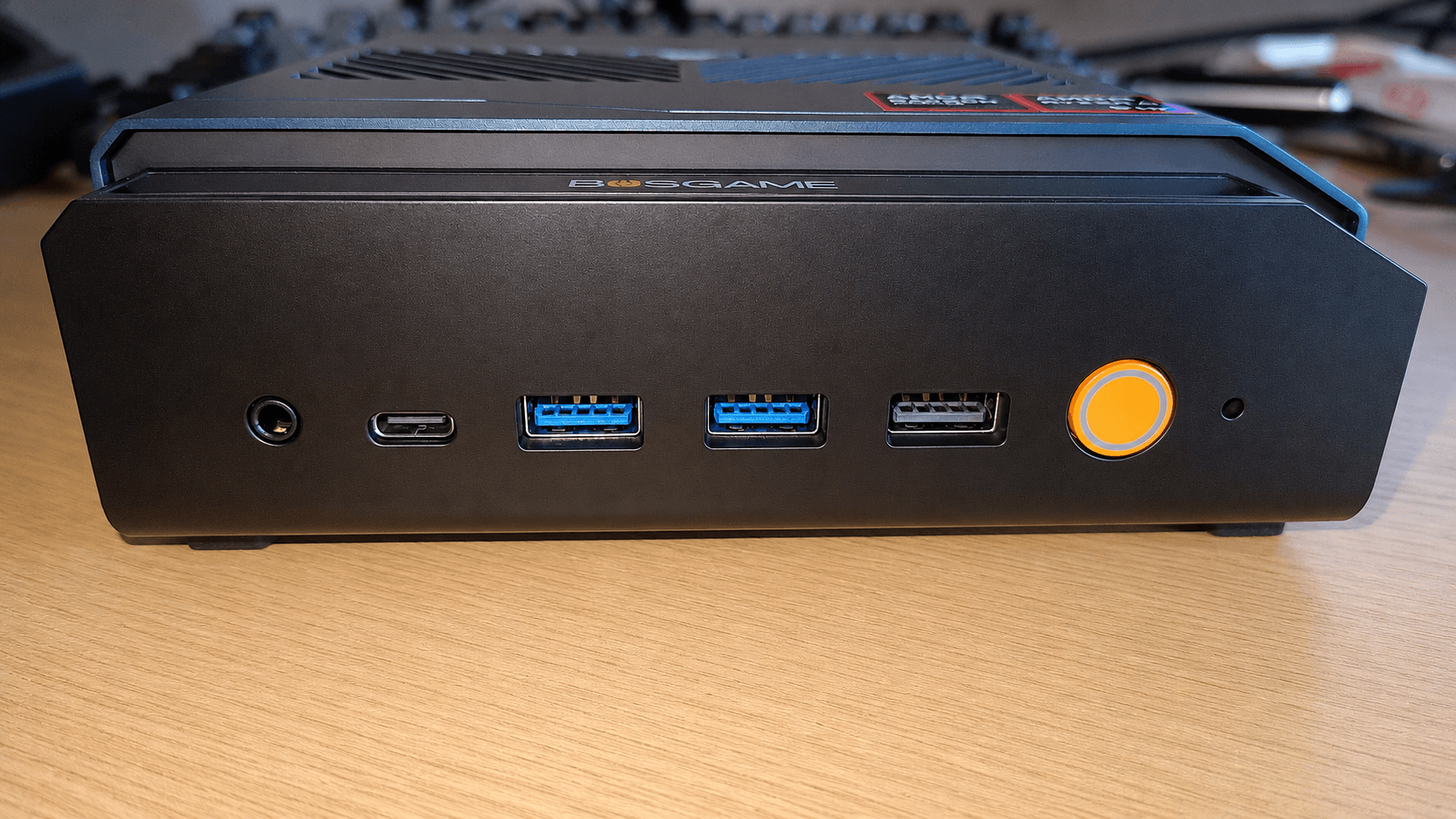
The front of the VTA-439 offers a good selection of easily accessible ports. From left to right, there’s a 3.5mm audio jack, a USB-C port (8K@60Hz), two USB 3.2 Gen 2 Type-A ports, a USB 2.0 Type-A port, the orange power button, and a small status indicator.
It’s a little surprising to find a USB 2.0 port on the front. I tested it with an external hard disk and confirmed it’s genuinely limited to USB 2.0 speeds.
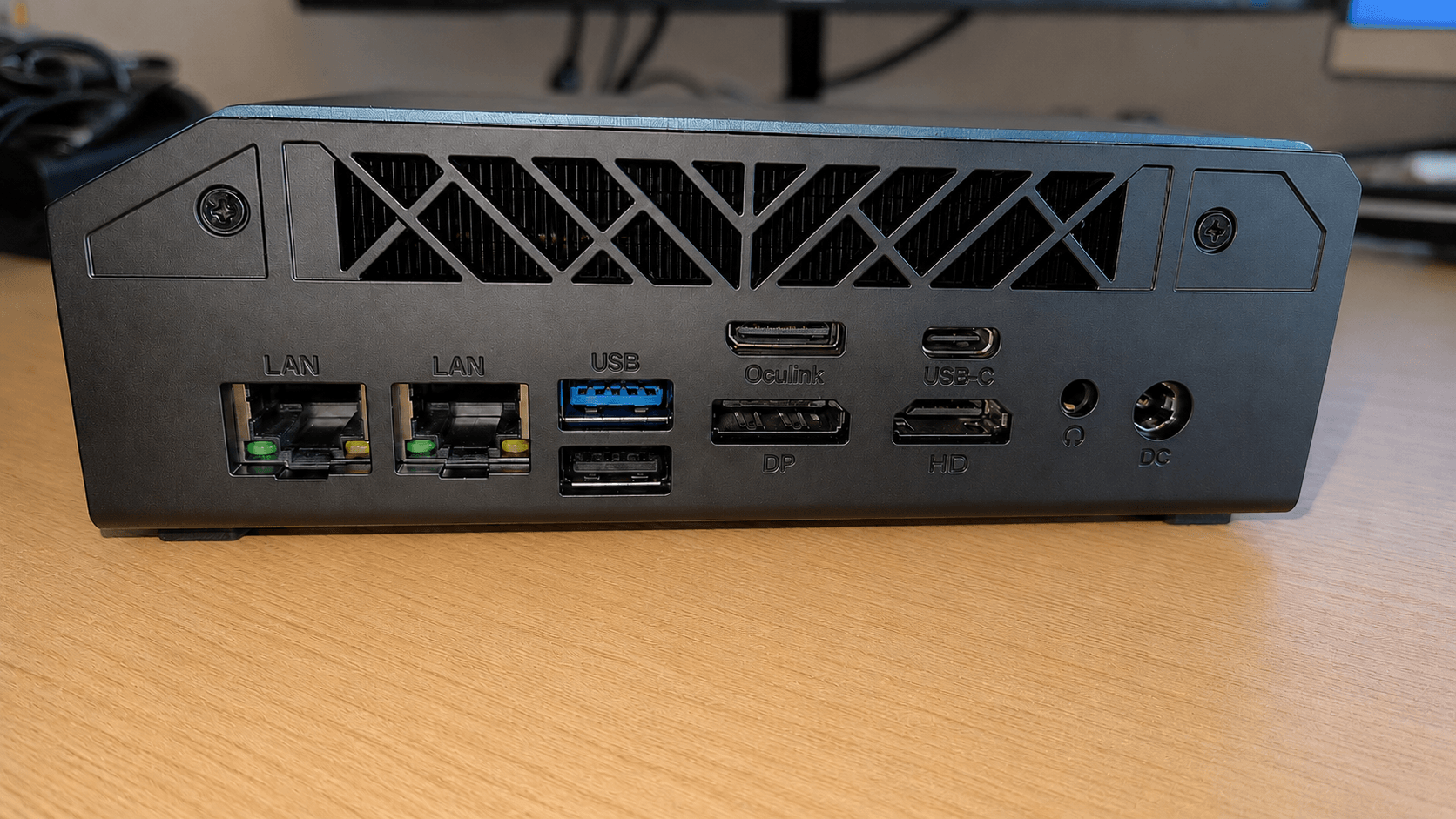
The rear of the VTA-439 carries most of the fixed desktop connections. From left to right, there are two 2.5GbE LAN ports, a stacked pair of USB-A ports, with USB 3.2 Gen 2×1 above and USB 2.0 below, an OCuLink port (PCIe 4.0 x4) above a DisplayPort output, a USB4 Type-C port above an HDMI output, a 3.5mm audio jack, and the DC power input.
The VTA-439’s integrated Radeon 890M graphics are one of the stronger iGPUs currently available in a mini PC. They’re well suited to desktop compositing, media playback, light creative work, GPU-accelerated applications, and some gaming at modest settings. For many Linux desktop users, that will be more than enough, especially if the machine is being used as a compact workstation rather than a dedicated gaming system.
BOSGAME also includes an OCuLink port, which gives the VTA-439 an important expansion route beyond its integrated graphics. With a suitable external GPU dock, the machine can be paired with a discrete graphics card for much stronger 3D performance, GPU compute, or more demanding gaming. That makes the VTA-439 more flexible than a typical mini PC, as you’re not limited to the Radeon 890M if your graphics needs grow later.
I’ve connected a variety of displays to the VTA-439 without issue. That includes 4K and lower resolution monitors through the machine’s HDMI and DisplayPort outputs, as well as several USB-C 3K and 4K displays. I tested both portable USB-C monitors and conventional desktop monitors, which makes the machine flexible if you regularly switch between a fixed desktop setup and a more temporary test bench arrangement.
My review unit came with a UK power lead, but BOSGAME offers the VTA-439 with a choice of regional plugs, including US, EU, JP, and AU options.
Next page: Page 2 – First Impressions running Linux with the CachyOS distribution
Pages in this article:
Page 1 – Introduction and Design
Page 2 – First Impressions running Linux
Page 3 – Interrogation of the System
Complete list of articles in this series:
| BOSGAME VTA-439 Mini PC | |
|---|---|
| Introduction | Introduction to the series and interrogation of the machine |
| Benchmarks | Benchmarking the BOSGAME VTA-439 Mini PC |
| Power | Testing and comparing the power consumption |
| Easy Diffusion | Local Stable Diffusion package with a browser-based GUI |
| BIOS | Explore the machine's BIOS |
| Noise | How quiet is this mini PC? |
| NPU | Running LLMs on the Ryzen AI 9 HX 470 NPU |
| VirtualBox | Run VirtualBox on the Ryzen AI 9 HX 470's Zen 5 Cores |
| Lemonade Server | Local AI server on the BOSGAME VTA-439 |
| Gaming with the Radeon 890M | |
| Shadow of the Tomb Raider | Comparing graphics presets and frame rates |
| Tiny Tina’s Wonderlands | How well does this demanding shooter perform? |
| The Callisto Protocol | Pushing the integrated GPU with a demanding title |
| Deus Ex: Mankind Divided | Performance across the graphics presets |
Please read our Comment Policy before commenting.