
An electronic book (commonly abbreviated e-book) is a text and image-based publication which can be read on a computer or other digital devices such as an e-book reader.
Digital books are well established. Project Gutenberg, an online library of books that can be downloaded free of charge, has been expanding its collection since 1971. Almost its entire library consists of books that are available in the public domain, although there are a few copyright texts which are also included.
Librum is billed as software designed to make reading enjoyable and straightforward for everyone.
Installation
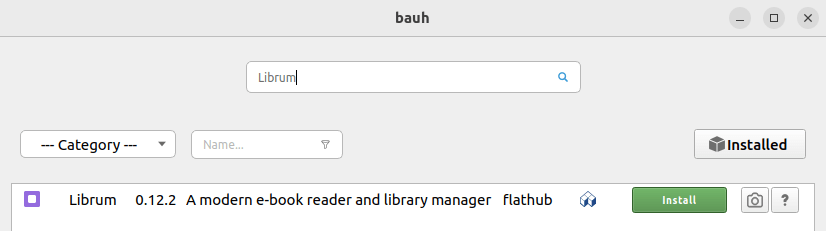
There’s a Flatpak available which we installed with bauh, a graphical interface that lets you manage your software. It supports Snaps, Flatpaks, AppImages, deb packages, and web applications.
The full source code is available.
In Operation
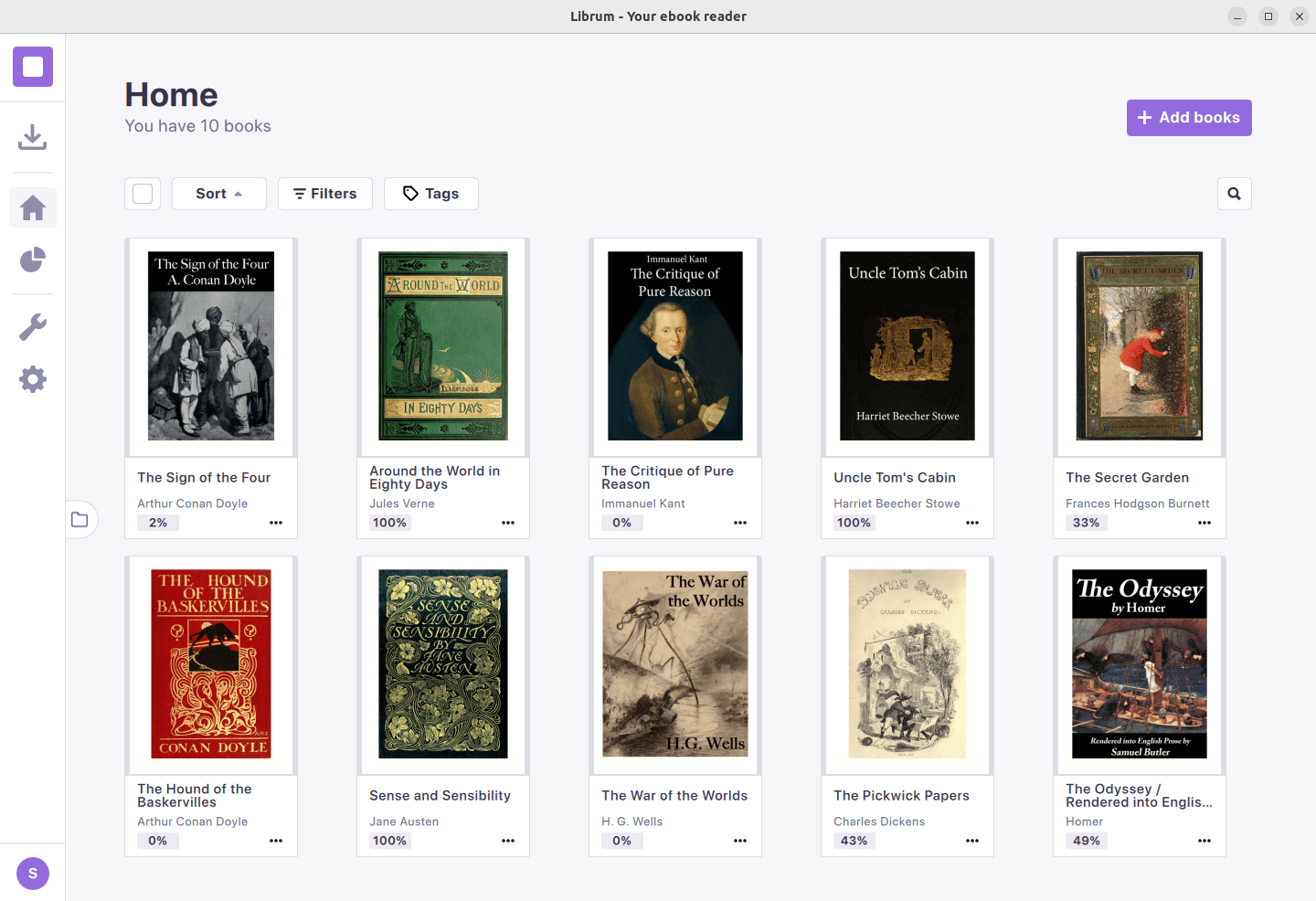
By default, the software uses a dark theme, but we’re showing the light theme in our images.
Here’s an image of a small book library. We used the software to download the books from Project Gutenberg giving you easy access to more than 70,000 books.
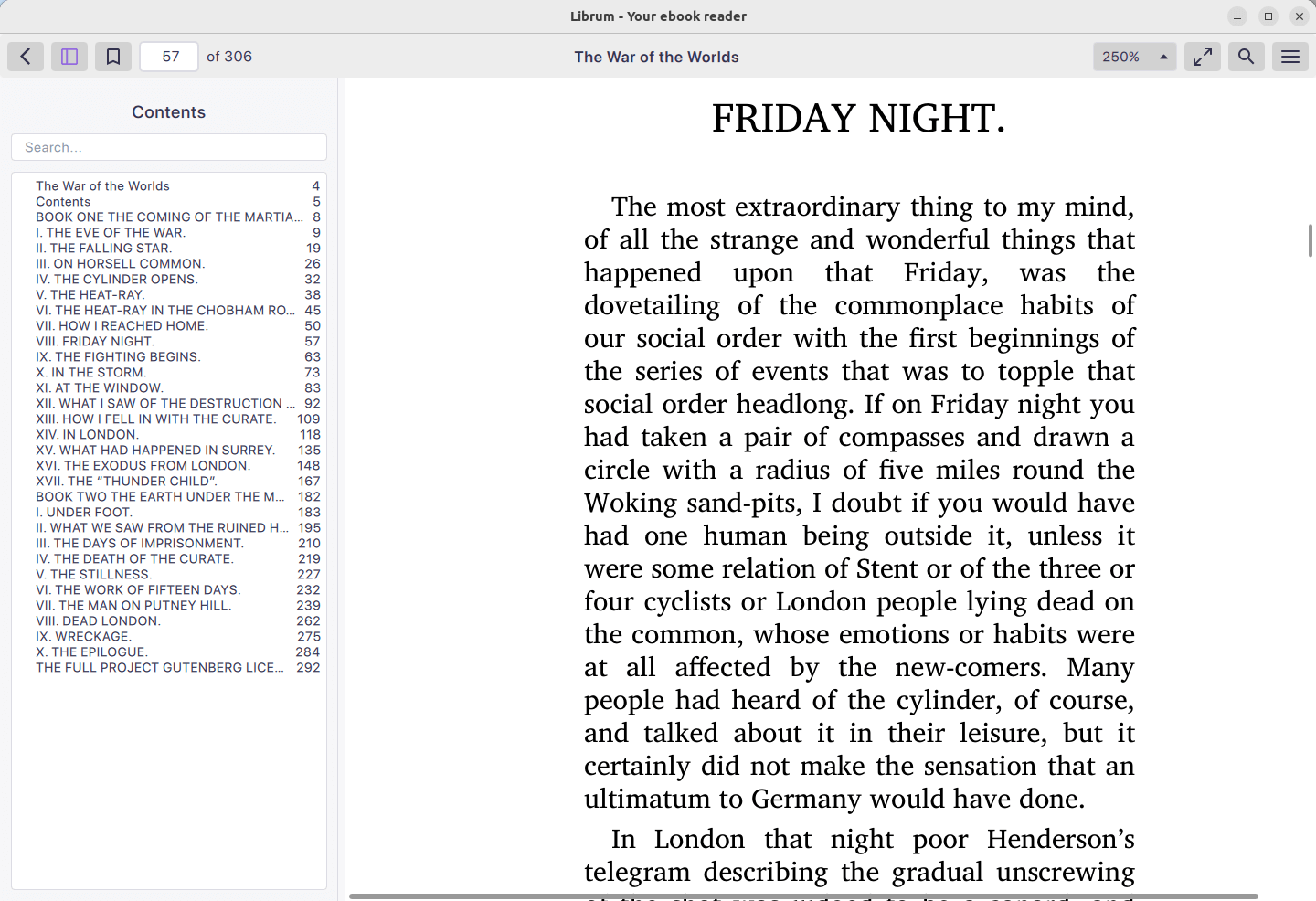
Out of the box, font rendering looks excellent. This rendering is configurable, but we didn’t ned it.
Features include:
- Good support for different formats including EPUB, PDF, CBZ, text files, and a wide range of image formats.
- Good organisational features for your library including tagging and sorting.
- AI integration – select some text, right click and choose ‘Ai Explain’, and the software seeks to explain, summarize or give you more information on any text within your book.
- Minimalistic design.
- Bookmarks.
- Keyboard shortcuts.
- Highly customizable – besides light/dark theme, we can change the page spacing, default zoom, choose different colours and opacity for highlights.
- Suite of PDF tools which let you merge multiple PDFs into one, extract multiple pages from a PDF, and convert any image format to a PDF.
- Internationalization support.
Summary
Librum is a lovely e-book reader with a refined user interface. The software hosts your reading library online. We’d like an easier way to host our own server though.
It faces stiff competition, as Linux already has a wide range of e-book readers including Calibre, Foliate, Koodo Reader, KOReader, and others.
Librum uses MuPDF to render, edit, annotate and transform pages. MuPDF is a lightweight open source PDF, XPS, EPUB and CBZ viewer.
The software has received more than 3.5K GitHub stars.
Website: librumreader.com
Support: GitHub Code Repository
Developer: David Lazarescu
License: GNU General Public License v3.0
Librum is written in C++. Learn C++ with our recommended free books and free tutorials.
Related Software
| GUI eBook readers | |
|---|---|
| KOReader | Advanced multi-format reader with excellent customisation |
| Koodo Reader | Feature-rich eBook reader and library manager |
| Foliate | Polished GTK eBook reader |
| Calibre | Powerful eBook library manager, reader and conversion suite |
| readest | Modern eBook reader with syncing and advanced reading tools |
| Thorium | Highly accessible multi-format eBook reader |
| Librum | eBook reader with synchronized library |
| Lector | Qt based e-book reader |
| Bookworm | Simple, focused GTK eBook reader |
| Arianna | KDE EPUB reader and library manager |
| crqt-ng | Fast Qt eBook reader using crengine-ng |
| CoolReader | Lightweight XML/CSS based eBook reader |
| apvlv | Vim-like graphical document viewer |
| FBReader | Makes it simple to access free literature |
Read our verdict in the software roundup.
 LinuxLinks helps you discover the best free and open source software for Linux. Explore our extensive collection of recommended applications, including alternatives to popular proprietary software. LinuxLinks helps you discover the best free and open source software for Linux. Explore our extensive collection of recommended applications, including alternatives to popular proprietary software.We also publish software reviews, Linux tutorials, hardware reviews, free programming books and articles covering the wider open source community. Browse our Linux resources to discover more. Know a useful free and open source Linux application we haven't covered? Suggest a program for inclusion. Has your software been featured on LinuxLinks? Display one of our Featured on LinuxLinks badges on your website or GitHub README. |
Please read our Comment Policy before commenting.